

Think about how much of your daily life is online today—banking, shopping, chatting with friends, even storing family photos. Now imagine waking up one morning to find your accounts locked, your files encrypted, or your inbox filled with fake emails trying to trick you. That’s not science fiction—it’s the reality of cybersecurity threats in 2025.
Phishing, ransomware, and malware are still the biggest dangers on the internet. The difference is, they’re smarter now. Hackers are using AI-powered attacks that look more real than ever, making it harder for even experienced users to spot the traps. The good news? With the right awareness and some practical steps, you can keep yourself—and your data—safe.
Let’s walk through what these threats are, how they work, and most importantly, how you can protect yourself in 2025.
Want to dive deeper into IT security and tools? Explore our Technology Blog for more guides.
Table of Contents
What is Phishing?
Phishing is basically digital trickery. Hackers disguise themselves as someone you trust—your bank, a delivery service, or even your boss—and try to convince you to hand over personal information.
What makes phishing dangerous in 2025?
Thanks to AI, phishing emails and texts now look incredibly convincing. Instead of the broken English and weird fonts we used to spot years ago, you might see emails that look exactly like official communication.
Example: You get an email from what looks like your bank asking you to “verify your account.” The logo looks right, the tone sounds professional, and the link even appears legit. But once you click, you’re redirected to a fake site where you unknowingly hand over your login details.
How to Stay Safe from Phishing:
- Double-check the sender’s address carefully.
- Hover over links before clicking to see the actual destination.
- Turn on multi-factor authentication (MFA) so even if your password is stolen, hackers can’t get in.
Read also:

What is Ransomware?
If phishing is about tricking you, ransomware is about locking you out. It’s malicious software that takes your files hostage and demands payment—usually in cryptocurrency—to release them.
How ransomware hits in 2025:
Ransomware often spreads through phishing emails, unsafe downloads, or weakly protected systems. Once it infects your device, it encrypts your files. A message then pops up demanding money in exchange for a decryption key.
Example: A small business owner clicks a fake invoice email, and within minutes, the company’s files—customer records, accounting data, everything—are encrypted. Without backups, paying the ransom seems like the only option.
How to Stay Safe from Ransomware:
- Keep regular backups of important data on a separate drive or cloud service.
- Don’t download pirated or cracked software (it’s a common ransomware carrier).
- Always keep your antivirus, firewall, and operating system updated.
Read also:
What is Malware?
Malware is a broad term for any “malicious software” designed to harm your device or steal your information. This includes viruses, worms, spyware, and trojans.
What makes malware more dangerous in 2025?
Malware isn’t just hiding in shady websites anymore. Attackers are slipping it into fake mobile apps, browser extensions, and even AI chatbots.
Example: You download a “free AI writing tool” from a suspicious website. Instead of helping you, it secretly installs spyware that records your keystrokes—including your passwords.
How to Stay Safe from Malware:
- Only install apps from trusted sources like official app stores.
- Keep your devices updated—patches fix vulnerabilities hackers love to exploit.
- Use real-time security software that can catch suspicious behavior before damage is done.
Online Safety Tips for 2025
Here are some habits (general cybersecurity) that make a big difference:
- Use AI-Powered Security Tools – Modern antivirus and firewalls use machine learning to spot new types of threats.
- Keep Everything Updated – Hackers target old, unpatched software.
- Strengthen Passwords – Use unique, complex passwords and enable MFA everywhere.
- Secure Your Wi-Fi – Avoid public Wi-Fi or always connect through a VPN.
- Stay Aware – The best security tool is CISA’s official phishing awareness guide. The more you know, the harder it is for attackers to trick you.
Future of Cybersecurity: What to Expect Beyond 2025
The cybersecurity landscape keeps shifting, and staying ahead means knowing what’s coming:
- AI in Cyberattacks → Hackers are now using AI to create more convincing scams.
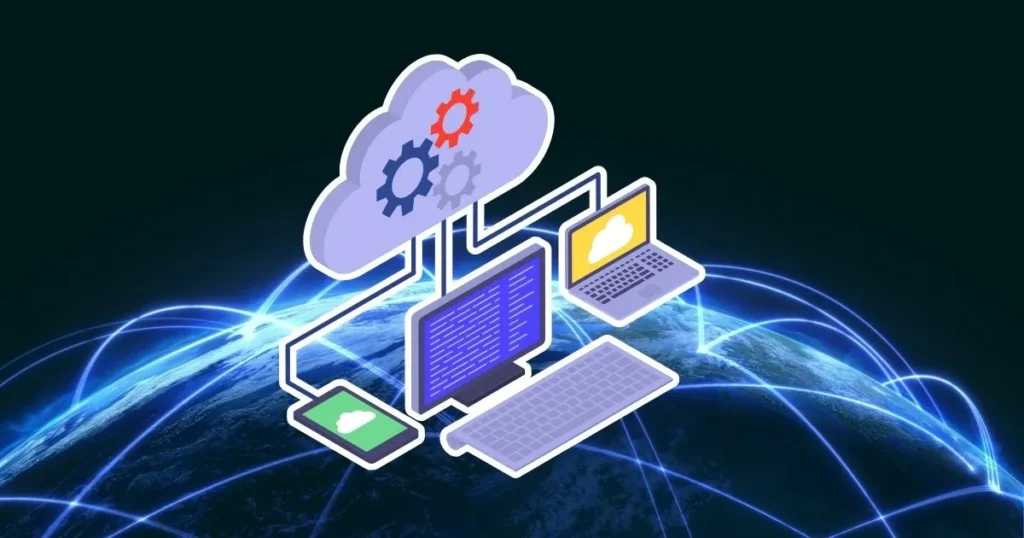
- Cloud Security Risks → With businesses moving to the cloud, hackers follow.
- Zero Trust Security → The new model is “never trust, always verify.”
- Quantum-Safe Encryption → Preparing for the day quantum computing can break today’s encryption.
Final Thoughts
The threats may sound scary, but here’s the truth: most cyberattacks succeed because people aren’t prepared. Phishing, ransomware, and malware are evolving, but so are the tools we can use to defend ourselves.
By staying alert, keeping your systems updated, and practicing smart online habits, you can enjoy the benefits of the digital world without constantly worrying about the dangers lurking in the background.
Read also:

FAQs on Phishing, Ransomware, and Malware: How to Stay Safe Online in 2025
What’s the difference between phishing, ransomware, and malware?
Phishing tricks people into giving away data.
Ransomware locks files and demands money.
Malware is any software designed to harm or steal.
How can I identify a phishing email in 2025?
Look for mismatched sender addresses, suspicious links, or urgent requests. Even if it looks professional, always double-check.
Is it safe to pay ransomware demands?
Paying doesn’t guarantee file recovery and encourages more attacks. Use backups instead.
What tools can protect me from malware in 2025?
Trusted antivirus software, firewalls, browser security plugins, and AI-driven security tools.
How can businesses defend against phishing attacks?
Employee training, enforcing MFA, using spam filters, and deploying endpoint security tools.

Israr Ahmed Technology educator and IT professional specializing in networking, cybersecurity, software solutions, and digital systems. Founder of DriveInTech, delivering practical tutorials, AI tools, SEO strategies, and real-world digital solutions.