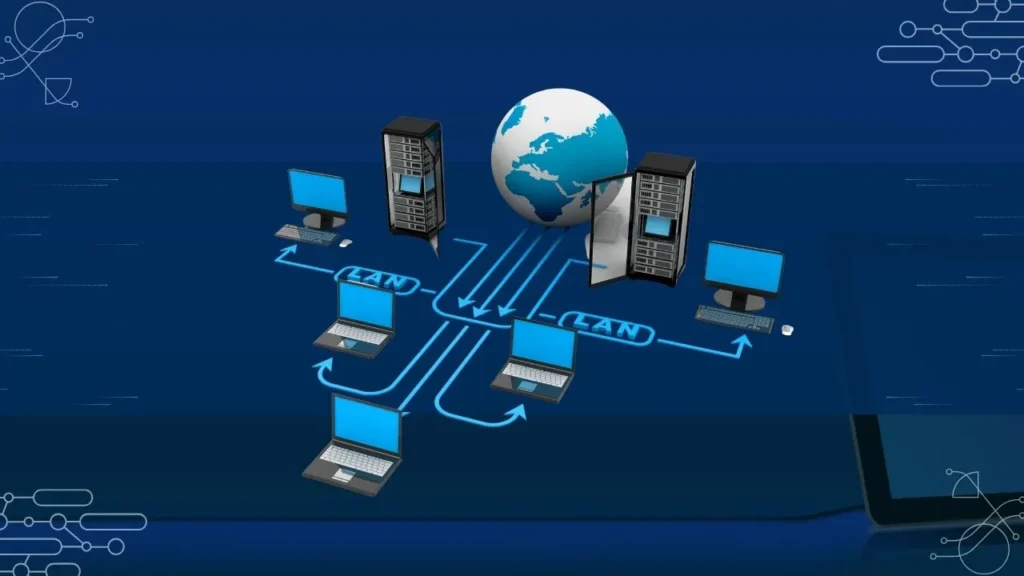
In today’s digital world, a network cable plays a vital role in connecting computers, routers, and switches for fast and reliable data transmission. Whether you’re setting up a home network or managing enterprise systems, knowing the types of network cables helps you choose the right one for your needs.
The most commonly used and modern network cables are Cat5e, Cat6, Cat6a, Cat7, and Fiber Optic cables — each designed with specific speed, performance, and shielding standards.
Table of Contents
1. Cat5e Cable (Enhanced Category 5)
The Cat5e network cable is an improved version of the older Cat5. It supports speeds up to 1 Gbps (Gigabit Ethernet) and frequencies up to 100 MHz.
It’s ideal for small offices and home networks where high-speed connections are essential but budgets are limited.
Functions:
- Transfers data with minimal interference
- Suitable for short to medium-distance connections
- Commonly used for routers, switches, and computers
Pro Tip: For home users, Cat5e remains a reliable and affordable network cable type.
2. Cat6 Cable
Cat6 network cables have become the new standard for fast, stable networks. They can handle speeds up to 10 Gbps over short distances (up to 55 meters).
This makes them ideal for gaming setups, video streaming, and small business networks.
Functions:
- Supports higher bandwidth (up to 250 MHz)
- Reduces crosstalk (signal interference)
- Perfect for gigabit and 10-gigabit Ethernet networks
Use Case: If you need a future-proof connection for your smart home or office, Cat6 is a solid choice.
Learn how to manage browser settings effectively once your network is up and running.
3. Cat6a Cable (Augmented Category 6)
Cat6a cables take things up a notch. They support 10 Gbps speeds over 100 meters, double the distance of Cat6.
They are heavily shielded to minimize signal interference and maintain consistent performance.
Functions:
- Supports 500 MHz bandwidth
- Best for large offices or data centers
- Provides long-distance stability for 10G networks
Did You Know? The “a” in Cat6a stands for “augmented,” indicating improved shielding and performance.
Learn more about Basic Networking Protocols with Visual Diagram
4. Cat7 Cable
The Cat7 network cable is designed for high-speed enterprise-level networking. It offers data speeds up to 10 Gbps and supports a frequency of 600 MHz or more.
Functions:
- Individually shielded pairs to eliminate interference
- Backward compatible with Cat6 and Cat5e
- Ideal for data centers and smart building infrastructure
Fun Fact: Cat7 cables often use GG45 connectors instead of RJ45, offering enhanced performance.
5. Fiber Optic Cable
Fiber optic cables are the fastest and most advanced types of network cables today.
Instead of copper wires, they use light signals to transmit data at incredible speeds — up to 100 Gbps or more over long distances.
Functions:
- Supports ultra-high bandwidth and low latency
- Immune to electromagnetic interference
- Ideal for ISPs, cloud data centers, and high-performance networks
Example: Fiber optic technology powers modern internet backbones and long-distance communications worldwide.
Choosing the Right Network Cable
When selecting the right type of network cable, consider:
- Speed requirements (1 Gbps vs. 10 Gbps)
- Distance coverage
- Budget
- Environment (home, office, or data center)
For everyday users, Cat6 or Cat6a cables offer the best balance between speed and cost. For future-ready systems or enterprise setups, Cat7 or Fiber Optic is ideal.
FAQs About Types of Network Cables
What are the most common types of network cables used today?
The most common network cable types are Cat5e, Cat6, Cat6a, Cat7, and Fiber Optic cables, each offering different speed and shielding capabilities.
Which is better: Cat6 or Cat6a?
Cat6a provides better shielding and supports 10 Gbps speeds over longer distances, while Cat6 is suitable for shorter connections at a lower cost.
Why is fiber optic cable faster than copper?
Fiber optic cables transmit data as light, allowing faster, interference-free transmission compared to copper-based Ethernet cables.
Can I use Cat7 instead of Cat6?
Yes, Cat7 is backward compatible and offers higher shielding and frequency support, making it suitable for high-performance networks.
What type of network cable is best for gaming?
Cat6 or Cat6a cables are best for gaming because they offer high speeds and low latency for smooth, lag-free performance.

Israr Ahmed is a technology educator and creator behind the YouTube channel “Israr Ahmed Technical,” where he shares practical IT, networking, cybersecurity, and software tutorials. He also runs DriveInTech.com and PakAider.pk to help learners and professionals grow in the digital world.